 Pak
PakPak Game Download
Download the official Pak Game APK for Android the safe way — with the version details, a step-by-step install, and clear warnings about fake “mod” files.
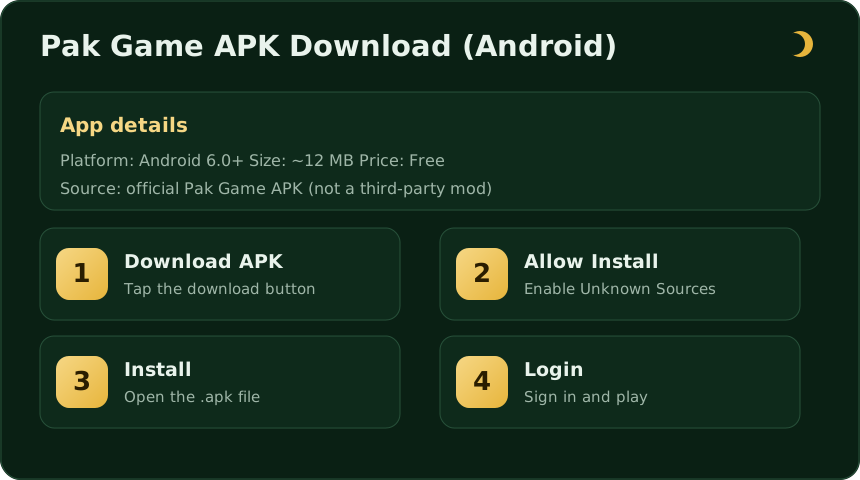
The Pak Game APK is the Android app most players use, because it runs more smoothly than the browser version and keeps you logged in. This page explains exactly what you’re installing and how to do it without taking risks with your phone or your money.
Pak Game app details
| Platform | Android 6.0 and above |
|---|---|
| App size | ~12 MB (lightweight) |
| Price | Free to download |
| File type | .apk (official, not a mod) |
| Payments | JazzCash, Easypaisa |
| Age rating | 18+ only |
Exact version numbers change as the app updates, so always take the newest official build rather than an old cached file from a third-party APK aggregator.
How to download and install Pak Game
- Tap Download. Use the official download button to save the APK to your phone.
- Allow the install. When prompted, enable Install from unknown sources for your browser (Settings → Apps → Special access on most phones).
- Open the file. Tap the downloaded
.apkin your notifications or Downloads folder. - Install. Confirm the prompts and wait a few seconds for it to finish.
- Log in. Open the app and log in or register to start.
Turning on “Unknown sources” safely
Because the APK is installed directly rather than from the Play Store, Android asks for permission once. The safe approach:
- Enable unknown-source installs only for the specific browser you downloaded with.
- Install the app.
- Turn the permission back off afterwards so nothing else can install silently.
What’s new in the latest version
Updates typically bring faster loading, smoother game rounds, small interface fixes, and improved stability on older phones. Keeping the app current also means you get the latest security patches, so reinstall the newest APK whenever an update is available rather than running a months-old file.
Is the Pak Game APK safe?
Downloading from the official source and following the steps above keeps the installation clean. The game, however, is real-money entertainment with genuine financial risk — that part can’t be made “safe” by any download. Before you deposit, read our honest real or fake breakdown and set yourself a budget.
APK vs Play Store vs browser
Players reach Pak Game three ways, and it helps to know the difference:
- Official APK (recommended): the direct Android install. Smoothest performance, stays logged in, gets updates. This is what most guides — and this page — point you to.
- Third-party APK aggregators: sites that re-host the file. They often serve older cached versions and sometimes wrap the download in extra ads. Prefer the official build for the newest, cleanest file.
- Browser version: no install needed, handy for a quick look, but slower and easier to confuse with clone sites. Double-check the address.
Device compatibility & requirements
Pak Game is undemanding by design. You need Android 6.0 or newer, roughly 12 MB of free space for the app (plus a little for updates and cache), and a working internet connection. It runs fine on budget phones; a stable connection matters more than a powerful processor, because rounds settle in real time and a dropped signal mid-round is frustrating.
Common install errors and how to fix them
- “App not installed”: usually a half-downloaded or corrupt file. Delete it and download the APK again.
- “Blocked by Play Protect”: Android scans unknown installs; if you trust the source you can choose “install anyway”, but only do so for the official file.
- Install button greyed out: you haven’t enabled unknown-source installs for your browser yet — see the section above.
- Not enough storage: clear a little space and retry.
- Parsing error: the APK may be for a different Android version or was downloaded incompletely — re-download the current build.
Keeping the app updated
The app doesn’t always auto-update like a Play Store install, so check periodically for a newer version and reinstall the latest APK when one is available. Updates bring stability fixes and security patches; running a months-old build is the most common reason an app feels buggy or won’t connect.
Is there an iPhone or PC version?
Pak Game is primarily an Android app. If there is no official iOS app in the App Store, do not install “iPhone” versions from random links — they are unsafe and often fake. On a computer you would need an Android emulator, which is unnecessary for most players and adds its own risks. Stick to a genuine Android phone for the safest experience.
Permissions the app may request
A games app of this type typically asks only for what it needs — network access, notifications, and storage to save the install. Be cautious if any version requests something unrelated like your contacts or SMS without a clear reason. You can review and revoke permissions any time in Android Settings → Apps → Pak Game → Permissions.
Uninstalling and reinstalling
If the app misbehaves, a clean reinstall fixes most problems. Press and hold the Pak Game icon and choose Uninstall (or remove it from Settings → Apps), then download the latest APK from this page and install it fresh. Your account lives on the operator’s servers, not only on your phone, so uninstalling does not delete your balance — you sign back in with the same number and password. That said, make sure you remember your login details before removing the app, and never reinstall from a random “mod” link.
Data, battery and storage
Because the app is small and the rounds are lightweight, Pak Game is gentle on storage and battery. The main resource it uses is your internet connection, since rounds settle in real time. A stable Wi-Fi or mobile-data signal gives the smoothest experience; patchy signal is the usual cause of a round appearing to “freeze”. Clearing the app’s cache occasionally (Settings → Apps → Pak Game → Storage) can also help if it starts feeling sluggish.
Common questions
How do I download the Pak Game APK?
Is the Pak Game APK safe to install?
What Android version do I need?
Is there a Pak Game app for iPhone?
What about a Pak Game mod APK?
Why does it say 'app not installed' or 'parsing error'?
Does uninstalling the app delete my balance?
Download Pak Game for Android
Get the official APK, install it in a couple of taps, and log in to play. 18+ only — gamble responsibly.
Download APK Now